We use cookies to make this site work. We'd also like to set optional cookies so we can understand how the site is used and improve it. We will not set optional cookies unless you accept them. You can change your choice at any time from the Cookie settings link in the footer.
Strictly necessary cookies
These cookies are required for the site to work. They store your cookie preferences and keep your session secure. They are exempt from consent under PECR Regulation 6(4) because they are essential to deliver the service you have requested.
Optional cookies
Optional cookies help us understand how the site is used and provide additional features such as analytics, accessibility tools and translation. We will only set them if you accept.


New Patient Registration
Welcome to Wye Surgery, if you are a new patient who is looking to register with us, you can do so by completing our online registration form below.
We need to check that you live within our surgery's boundary area. To check this simply type your postcode in the checker below. If you are within our boundary you will be given a link to our registration form.
We are aware that there is an issue with some postcodes on the Finberry Development. Please note that the Finberry Development does not fall within our catchment area regardless of your postcode.
How To Register?
To register as a new patient at the practice. Please follow the registration process below.
Check You Live Within The Catchment Area
Enter your postcode to check you live within the practice catchment area.
If you are already a patient and are about to move to a new address please let the reception team know by completing our change of details form.
They can determine whether or not you are still within our catchment area. Unfortunately, we do not allow patients that move out of area to remain registered. If you move out of our catchment area you will receive a letter giving you notice to find another provider.
Complete Our Patient Registration Forms
If you live within the boundary area, please complete our new patient registration.
For identification purposes, you will need to upload proof of ID and proof of address at the end of the form.
- Proof of ID can be a passport or driving licence.
- Proof of address can be a utility bill (gas, electricity or water) or bank statement – dated within the last 3 months.
New Patient Registration and Questionnaire (over 18)
Online Access to Patient Records
If you are a patient at our surgery, and would like to gain Access to your Patient Record.
Please come down to the surgery to fill out a Patient Access Form.
You will need to show a form of ID Verification eg. Drivers License, Passport.
Once verified, you will have access to Book Appointments, View Test Results, View Immunisations and Order Prescriptions.
Change of Details
If you are an existing patient at our surgery but have recently moved, you will need to check that you still live within our catchment area.
Please inform us immediately if any of your details change, i.e. Address, Name, Telephone and Mobile Number.
It is essential that our records are kept up to date in order to provide you with the best service. You can change your details via our secure online form below.
Temporary Residents Policy
Even if you have been a patient of this practice in the past, you are not currently registered with this practice and so will be seen as a “Temporary resident” This arrangement applies if you are staying in the area for between 24 hours and 3 months or if you are a student returning to School or University next term.
Temporary residents can only be provided with immediately necessary here and now treatment. We are unable to deal with pre-existing matters or to initiate investigations or referrals. We may issue a one-off prescription to tide you over until you can obtain one from your usual GP practice or we may refer you to hospital as an emergency. Longstanding matters and outpatient referrals should be taken back to your regular General Practitioner. We do not have a budget for prescriptions or referrals. We also do not have access to your current medical records.
If all you require is an urgent prescription (e.g. if you have run out or come away without your medication) you can contact 111 who will be able to liaise with a local pharmacy who can issue a temporary supply. You can also easily obtain repeat prescriptions from your usual practice by sending a request with a SAE, or by email or on line.
Under the terms of the National Health Service we are not currently your Doctor and your usual surgery must therefore provide your continuing health care needs. If your condition is not immediately necessary or urgent then please tell the receptionist and we will cancel the appointment to avoid this risk of disappointment should the Doctor be unable to meet your needs.
Your Named GP
All Patients registered with the surgery will have been allocated a named accountable GP who will be responsible for your overall care. However, you can book appointments with any of the GPs at the surgery. If you have a preference to which GP you are allocated, the practice will make reasonable efforts to accommodate your requests. If you wish to know which GP has been allocated to you, please ask reception at your next visit.
The NHS App
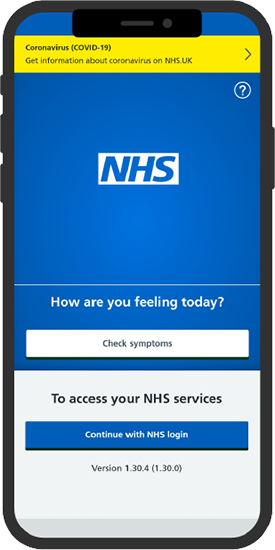
Wye Surgery would like to invite you to use The NHS App
Owned and run by the NHS, the NHS App is a simple and secure way to access a range of NHS services on your smartphone or tablet.